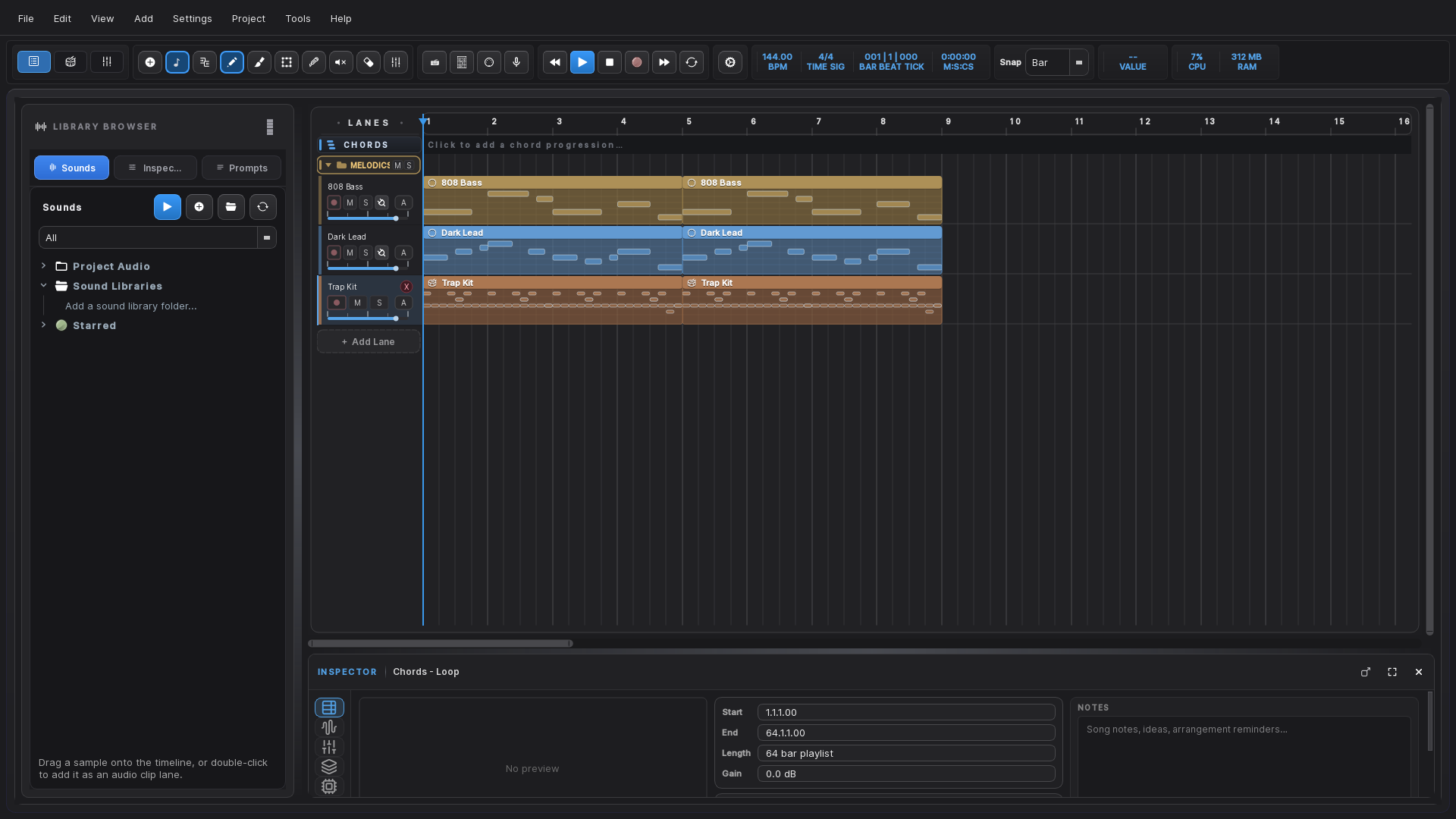
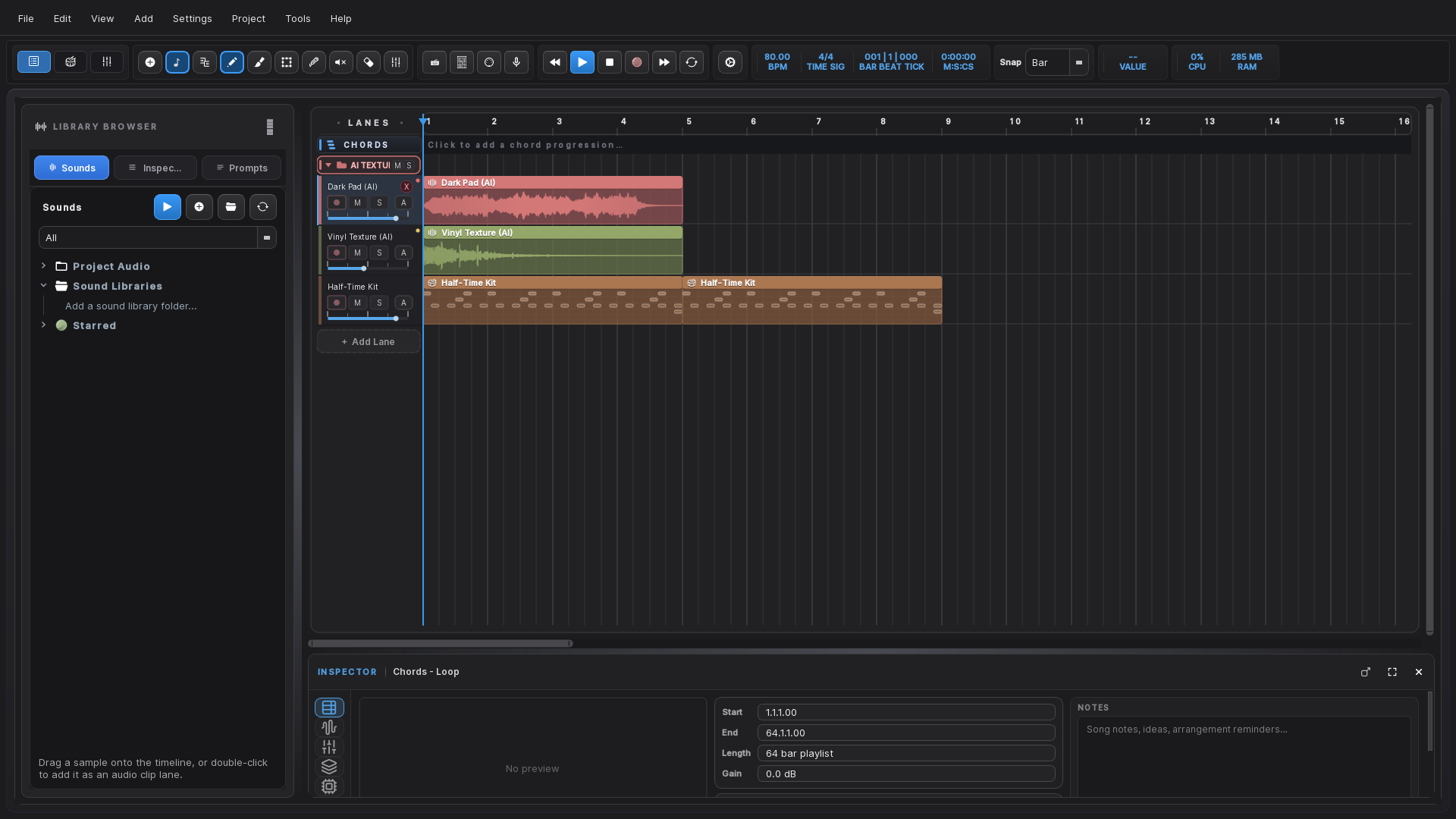
The arrangement view — audio, MIDI and drum lanes, with a folder carrying its own group fader.
Everything included
A full studio, not a starter kit
Write, record, arrange, mix and export in one place. Every feature below ships
in the download — there is no paid tier and nothing is held back.
Audio & MIDI
Unlimited lanes, clip editing, time-stretching, warp markers, comping and a tempo track
that follows your song rather than fighting it.
Real mixing
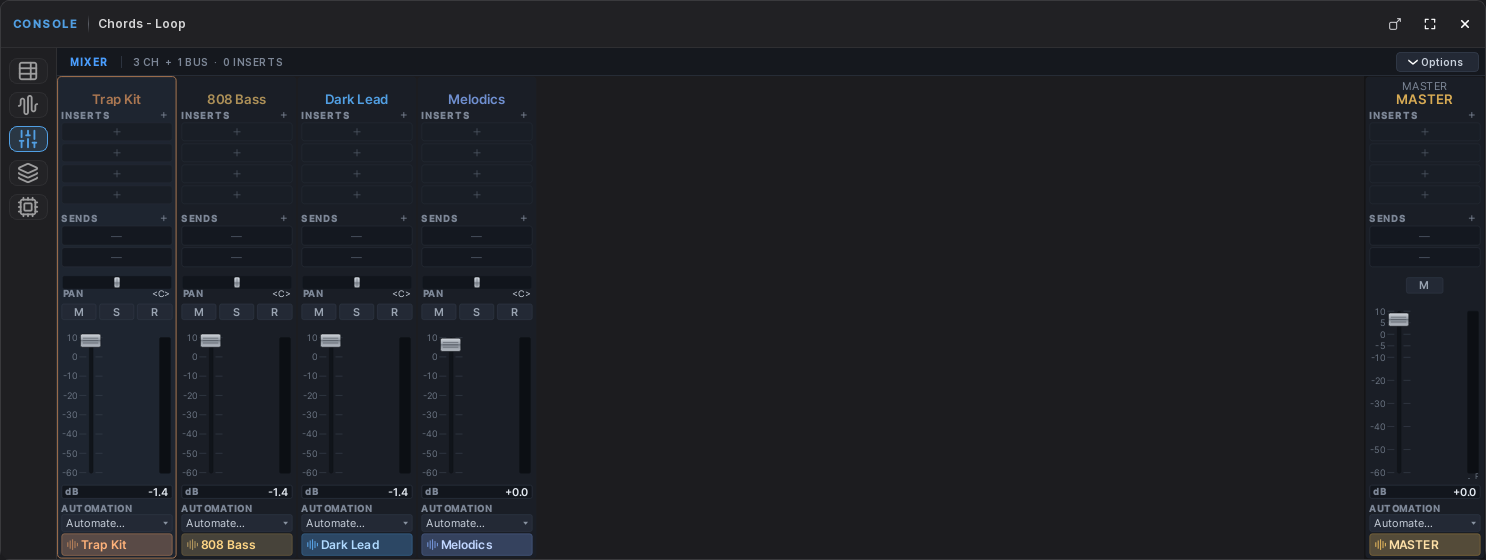
Inserts, sends, group buses, pan, automation and a master chain. Folder faders are real
signal routing, so riding a group never touches the balance inside it.
Plugins
VST3 and LV2 instruments and effects, hosted out of process — a plugin that crashes
takes itself down, not your session.
Local AI
Text-to-audio, stem separation, audio-to-MIDI, drum generation and an assistant. All of
it runs on your machine. No API key, no upload, no account.
Recording
Multi-track audio and MIDI capture with count-in, punch-in, loop recording and takes you
can comp afterwards.
Mastering tools
EQ, compression, multiband, saturation, reverb, delay and a limiter built in, so a rough
mix can be finished without leaving the app.
Mixer
Mix like you would on a desk
Every lane gets a full channel strip. Group related tracks into a folder and it gains its
own fader automatically.
Inserts and sends per channel
Group buses with their own inserts
Folder faders that leave lane volumes untouched
Automation on any parameter, including plugin controls
Piano roll
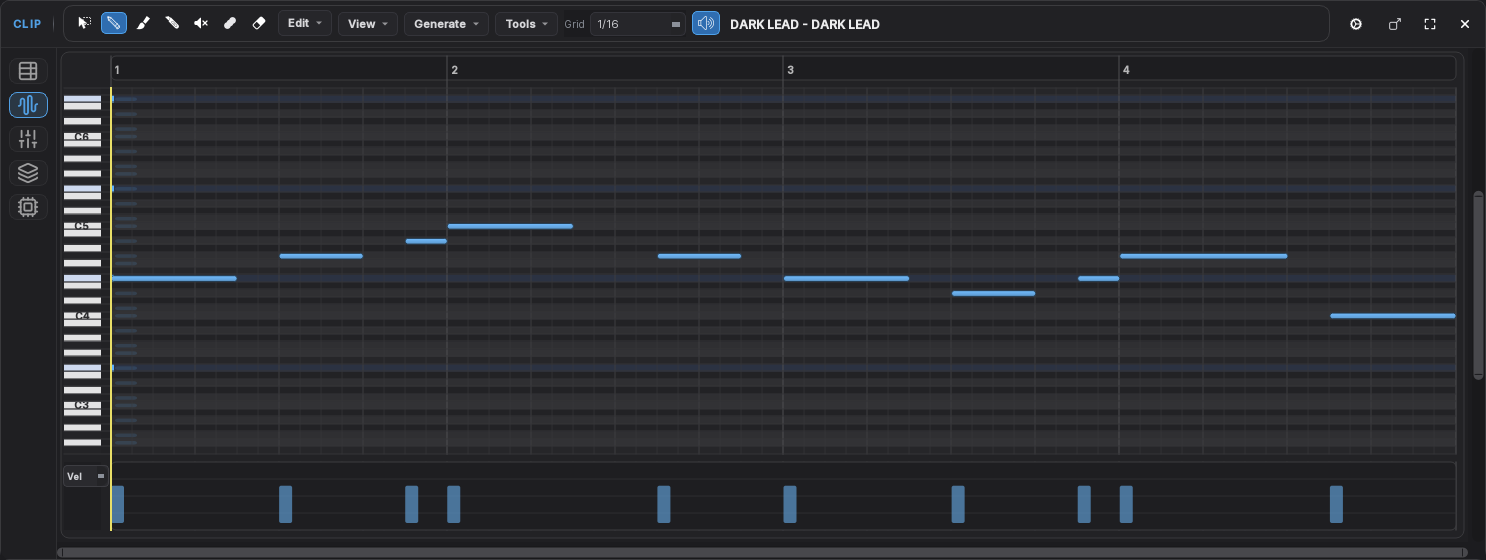
Write and edit without fighting the grid
A full editor with the tools you reach for constantly, and none of the ceremony.
Draw, split, glue, quantise and transpose
Velocity editing under the notes
Scale lock, chord tools and a chord track
Triplet and dotted grids
Drums
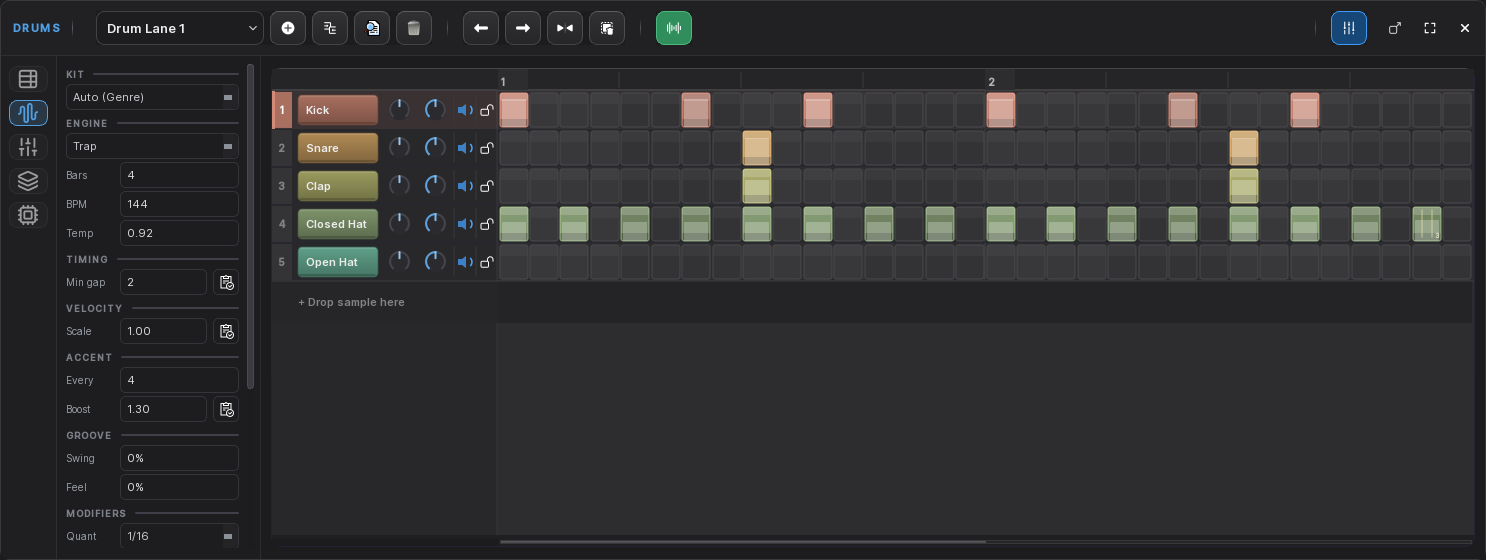
A step sequencer that grooves
Programme patterns quickly, then make them feel human rather than typed in.
Per-step velocity, rolls and micro-timing nudge
Probability and conditional triggers
Swap the kit or any single sample
Generate patterns in 31 genres with a trained model
AI, on your machine
Generate, separate and transcribe — offline
The models ship inside the download and run locally. Nothing is uploaded, and it all
works with the network off.
Text to audio — describe a sound, get a loop
Stem separation — split a mix into vocals, drums, bass and other
Audio to MIDI — turn a recording into editable notes
Assistant — a built-in model that knows your project
Install
Four files, one folder
The AI models ship inside the installer, which makes it too large for a
single download. It is split into parts — you do not need any tool to join them.
Download all four files
From the latest
release. Put every one of them in the same folder.
File
Size
MuseLabStudio-0.1.0.0-Setup.exe
3 MB
MuseLabStudio-0.1.0.0-Setup-1.bin
1.4 GB
MuseLabStudio-0.1.0.0-Setup-2.bin
1.4 GB
MuseLabStudio-0.1.0.0-Setup-3.bin
45 MB
Run Setup.exe
It finds the other parts by itself. Nothing to unzip, nothing to join.
Click through the SmartScreen warning
Choose More info → Run anyway. It appears because the installer is not
code-signed yet, not because anything is wrong with the file.
Launch it
Everything is installed. There is nothing further to download and no account to make.
Requirements. Windows 10 or 11, 64-bit · 8 GB RAM (16 GB recommended) ·
6 GB free disk. A GPU is optional — the AI features fall back to the CPU, which is slower
rather than unavailable. For low-latency recording, use your interface's own ASIO driver.
Getting started
Your first ten minutes
Do these four things first and everything afterwards behaves the way you expect.
1 · Pick your audio device
Settings → Audio. If you have an audio interface, choose its own
ASIO driver rather than a generic one. That single choice is the difference between
comfortable latency and fighting the app all session.
2 · Scan your plugins
Point the scanner at your VST3 folder — usually
C:\Program Files\Common Files\VST3. Scanning runs out of process, so a plugin
that misbehaves cannot take the app with it.
3 · Open a demo project
The release includes two, with the audio and MIDI they produced. Unzip one into your
projects folder and open it to see how a finished arrangement is put together.
4 · Make something
Add a drum lane, programme a pattern, add a MIDI lane for bass. Group them into a folder
and you get a fader for the whole group without touching what is inside it.
FAQ
Questions worth answering
Is it really free?
Yes. No trial, no locked features, no subscription and no account. Music you make with it
is entirely yours — no royalty and no credit required.
Does anything get uploaded?
No. Every AI feature runs on your machine using models that ship in the download. There is
no API key and no telemetry. Turn off your network and it all still works.
Why is the download so large?
The AI models are roughly 2.4 GB of it. They are included so the features work immediately
and offline, rather than making you wait for a download the first time you try them.
Why does Windows warn me about it?
The installer is not code-signed yet — a certificate is an annual cost. SmartScreen warns
about any unsigned installer regardless of what it contains. Choose
More info → Run anyway.
Will my plugins work?
VST3 and LV2 instruments and effects are supported. VST2 is not — that SDK was withdrawn
in 2018 and can no longer be licensed, so VST2 plugins are filtered out rather than
failing mysteriously.
Is there a Mac version?
Not currently. Windows 10 and 11, 64-bit only.
Is the source available?
Not at this time. The app is free to use but closed source.
How do I report a bug?
Open an issue with what you
did, what you expected, what happened, your Windows version and audio device, and the log
from Help → Open Log Folder. Specific reports get fixed.
Support
MuseLab Studio is free — and stays free
There is no paid tier planned and nothing is held back. If it saves you time
or ends up on something you are proud of, you can put something in the tip jar. Entirely
optional, and nothing in the app changes either way.